You can do an AI photoshoot from one selfie in 2026, and it takes about as long as picking the photo. Upload a single clear shot, tell the tool the look you want, and it keeps your real face while it rebuilds the outfit, the setting, the lighting, and the pose. No studio, no photographer, no twenty-photo upload to train a model. Here is how to do it, and how to keep the result from looking fake.
What an AI photoshoot actually is
A real photoshoot sells you four things: lighting, a setting, a little direction, and someone to pick the keeper. An AI photoshoot rebuilds the first three from a photo you already have. You keep your face; the tool changes the day around it.
That is possible now because image models got good at holding identity from a single reference. In 2022, a study in the Proceedings of the National Academy of Sciences found people could not reliably tell AI-generated faces from real ones. Three years later, the tools can keep your face and restyle everything else, which is the part a shoot used to charge for. Thumbtack puts the average portrait session around $277. The AI version costs nothing to start.
How to do an AI photoshoot in three steps
The method is short, because the hard part, the photographer’s craft, is the part the tool absorbed.
Step 1: Pick the right selfie
Start with the photo that looks the most like the version of you that walks into a room. Clear face, recent, decent light. It does not need a good background or a good outfit, because those get replaced. It needs to read as you, so skip the heavy filters.
Step 2: Name the look and lock your face
Paste the selfie into ChatGPT, Gemini, or your AI image tool, and give it a prompt that does two jobs: name the look you want, and tell the model to use the photo as a face reference only while it redesigns the pose, outfit, setting, and lighting. That second instruction is what keeps the result recognizably you instead of a stranger who looks similar.
Here is a prompt that does both jobs. Swap {LOOK} for the shoot you want and paste it with your selfie:
Show the full promptTap to expand
Generate this image:
A single photoreal 3:4 vertical portrait of the person from the uploaded reference photo. Match their bone structure, eyes, nose, lips, proportions, skin tone, and hair color exactly, so the subject is unmistakably the same person. Use the reference for face identity only, then fully redesign the outfit, setting, lighting, pose, and camera angle into a {LOOK} photoshoot. Natural skin with visible pores and micro-texture, realistic hands and ears, believable lighting, and a real-photo shallow depth of field. Premium editorial photography style. Single image, identity-locked to the uploaded reference.
Rules the AI must follow:
- Identity preservation is the highest-priority constraint: the subject must be unmistakably the same person as the uploaded photo. Do not beautify or change facial proportions
- Realistic skin texture required: visible pores and natural unevenness, no porcelain smoothing or waxy AI-plastic surface
- Realistic hands, ears, and anatomy: correct finger count, no melted or extra features
- One human figure only: solo subject, no background people, no multi-exposure ghosts
- Redesign the setting and outfit fully: do not copy the original background, keep lighting and depth of field believable
- No text, captions, watermarks, logos, or readable signage anywhere in the frame
- Single image output: no contact sheet, no variant grid, no before/after split
- Output the image directly without explaining the prompt back
Replace these placeholders with your details:
- ⚠️ REQUIRED. Upload before pasting: one clear, recent, front-facing photo of your face. This is the face the AI keeps; without it the result will not look like you
{LOOK}= the shoot you want, for example “magazine cover editorial,” “golden-hour street,” “cozy documentary candid,” “clean studio portrait,” or “old-money travel”
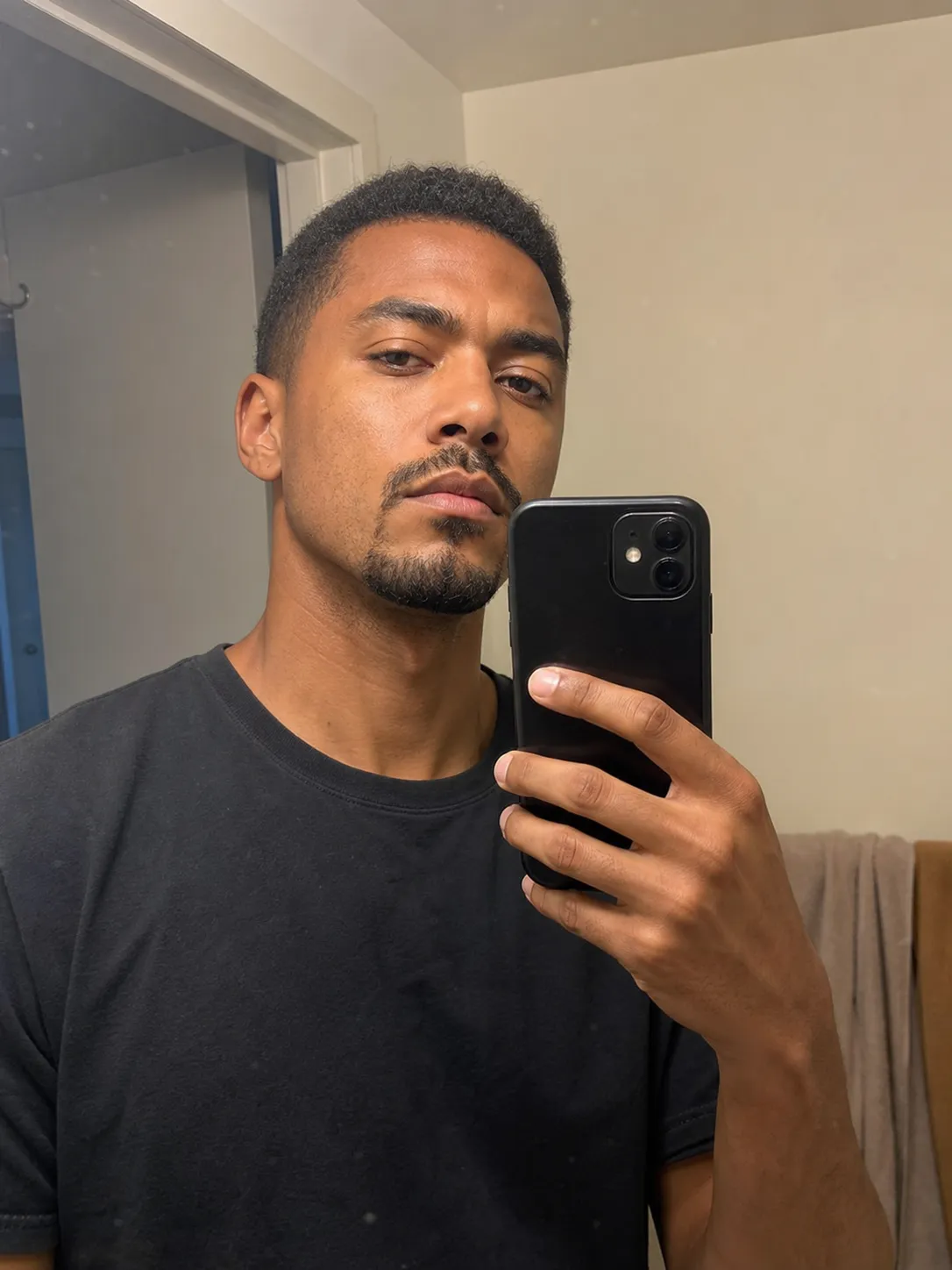
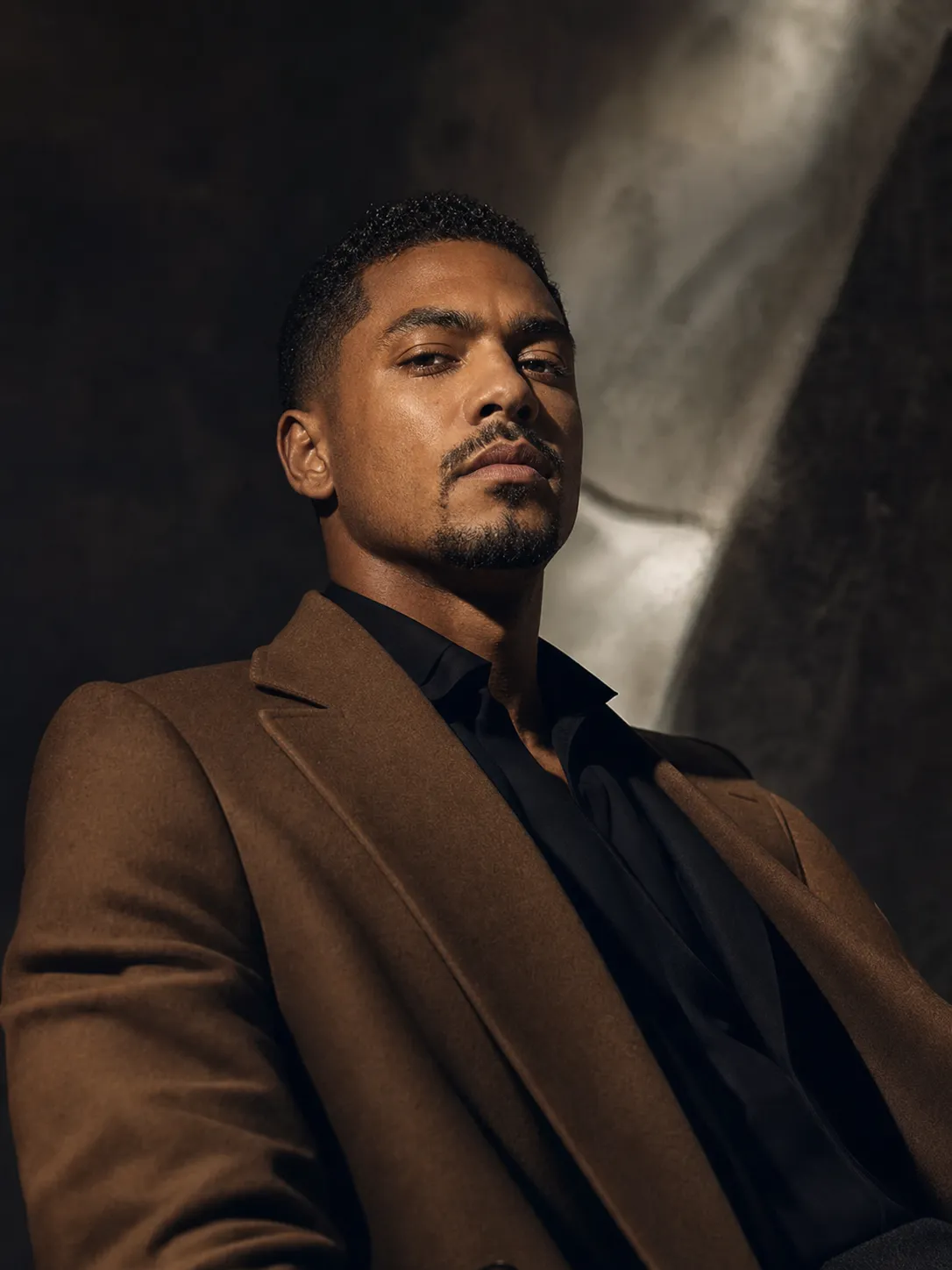
Step 3: Check it before you use it
Pull the result up to full size and look at the places AI gives itself away: the skin (real texture or plastic?), the hands and ears (right count and shape?), and any background text. Then run the test you cannot fake your way past: would a friend recognize you instantly? If yes, use it. If they would pause, run it again from a clearer selfie.
The looks one selfie can become
The reason an AI photoshoot beats a single good photo is range. The same upload becomes a set, the way a real shoot gives you a gallery instead of one frame.
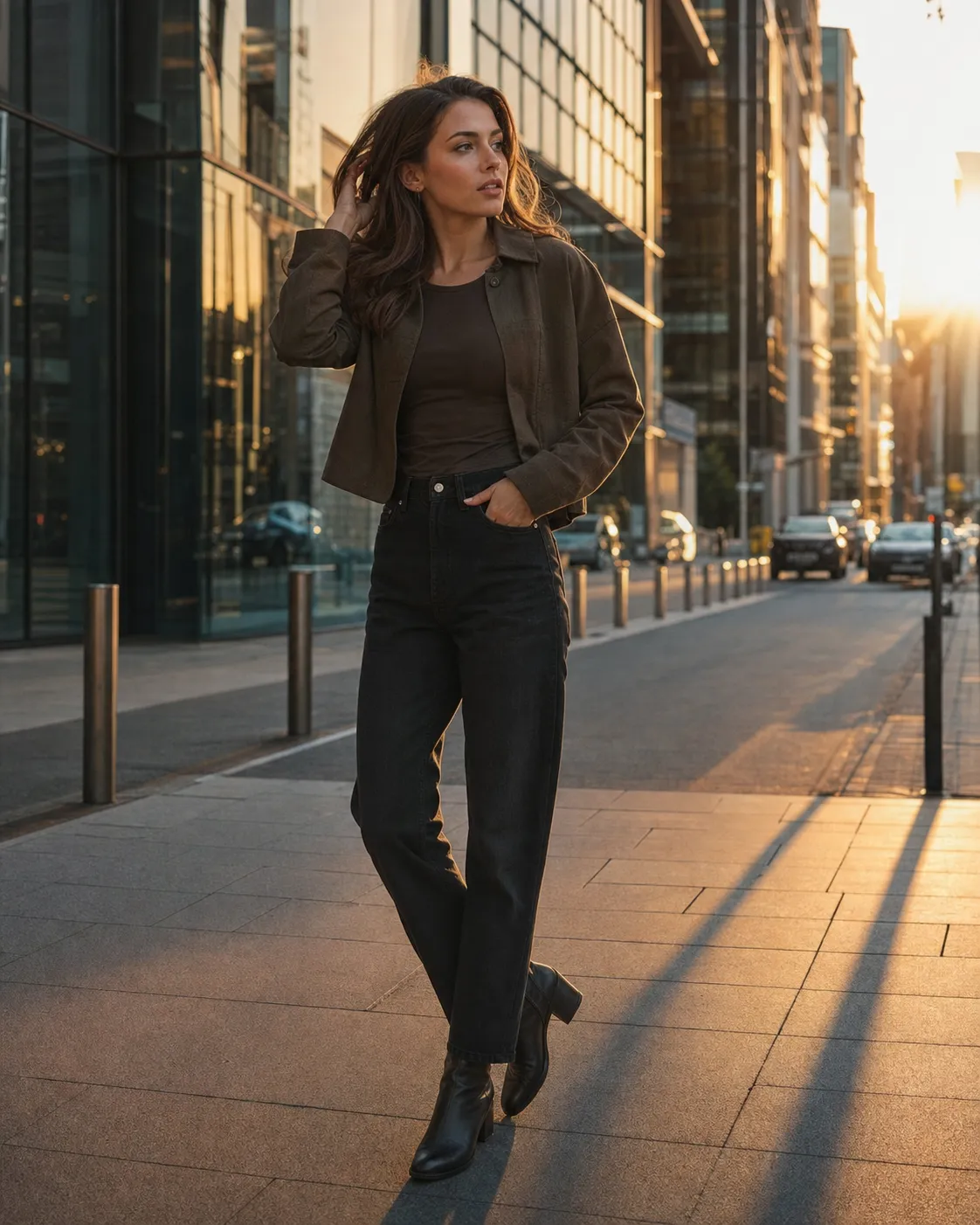
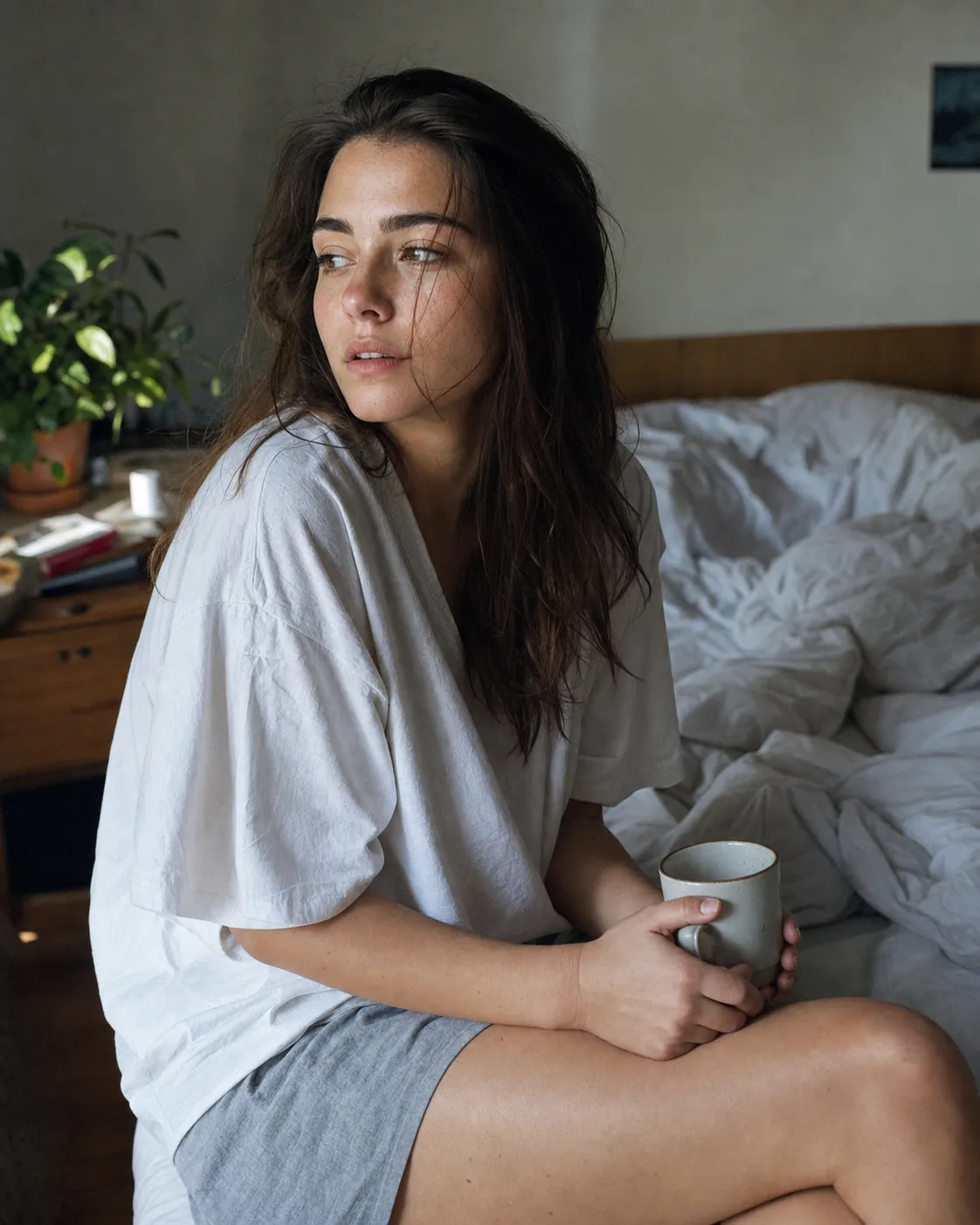
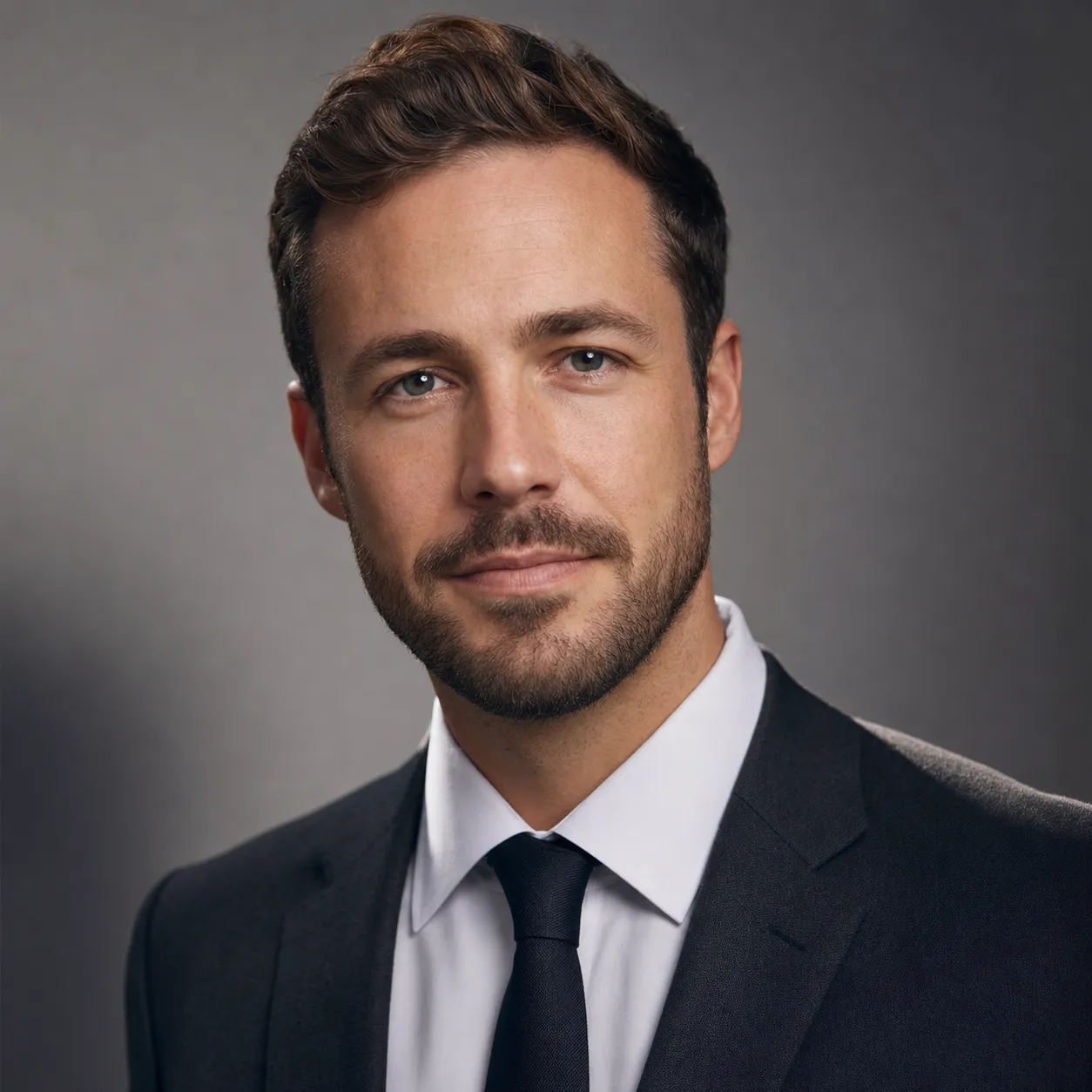
A golden-hour street editorial, a soft documentary candid, a clean studio portrait. One photo seeds all of them, which is the fastest way to fill a profile, a website, or a set of socials without booking anything.
One paste-ready AI move a week, the kind you can use on a Tuesday or a Sunday, plus our free Independent Brand Visual Kit the moment you join. Subscribe to the newsletter.
When the result looks off
A one-selfie photoshoot wins on fun, speed, and cost, not on maximum fidelity. Tools that train on ten to twenty of your photos edge ahead on pure likeness, at the cost of time, money, and effort. For a single selfie, almost every miss is one of three things, and each has a one-line fix.
It doesn’t look like you. The face drifted. Regenerate from a clearer, front-facing selfie and add to the prompt: match the reference face exactly, do not change facial proportions or beautify. If it still misses, the source photo is too dark, too angled, or too filtered to read as you.
The skin looks plastic. Add: natural skin texture, visible pores, no smoothing or retouching. Waxy, poreless skin is the single most common AI tell, and naming it usually fixes it.
The hands or background are wrong. AI still fumbles hands and fine background detail. Crop tighter to the face, or regenerate and add: realistic hands, correct finger count, no readable text in the background.
These failure modes are predictable and avoidable, which we break down in why AI images look fake.
The fastest way to get there is Dream Photo Studio’s AI photoshoot, which builds the looks from one selfie with the face-lock built in, and the same prompts ship in our $19 Image Prompt Pack if you would rather run them yourself. For more looks to try, see our AI photoshoot ideas.
FAQ
Q: What prompt should I use for an AI photoshoot?
A: Use a prompt that does two jobs: name the look you want, and tell the model to use your uploaded photo as a face reference only while it redesigns the outfit, setting, lighting, and pose. The copy-paste prompt on this page does both, with a {LOOK} placeholder you swap for the shoot you want.
Q: What photo should I use as the reference selfie?
A: A clear, recent, front-facing photo where your face is well lit. It does not need a good background or outfit, because those get replaced, but it should look like the version of you that you actually walk around as. Skip heavy filters, which confuse the face match.
Q: What do I do if the AI photoshoot doesn’t look like me?
A: The face drifted. Regenerate from a clearer, front-facing selfie and add one line to the prompt: match the reference face exactly, do not change facial proportions or beautify. If it still misses, the source photo is probably too dark, too angled, or too filtered to read as you.
Q: How long does an AI photoshoot take?
A: Minutes per look once you have the prompt. You paste the prompt, upload the selfie, and the tool returns the image, versus the days of booking, shooting, and waiting on edits that a real session takes.
Q: Can I do an AI photoshoot on my phone?
A: Yes. The same tools run in a phone browser or app. Upload the selfie, paste the prompt, and generate, all from the photo already on your phone, with no desktop or special software needed.
Key Takeaways
- An AI photoshoot rebuilds lighting, setting, and styling from one selfie while keeping your real face. No studio, no photographer, no twenty-photo upload.
- The recipe is three steps: pick a you-looking selfie, name the look and lock your face, then check it still looks like you.
- One upload becomes a varied set, editorial to lifestyle to a clean portrait, which is the real advantage over one good photo.
- Research has found people cannot reliably tell AI faces from real ones, so the only giveaways are avoidable failure modes you can catch on a zoom.
- It is free to start versus around $277 for a portrait session, with the honest trade-off that single-selfie likeness trails a trained model.
So, run your first look
Pick the selfie you almost used, name one look, and lock your face. The shot you would have booked a studio for is already inside the photo on your phone.