Faded, creased, blurry, torn, or black-and-white. Upload one phone snapshot of the print and get a clean, period-correct restoration that still looks like the people in it. No scanner, no subscription.
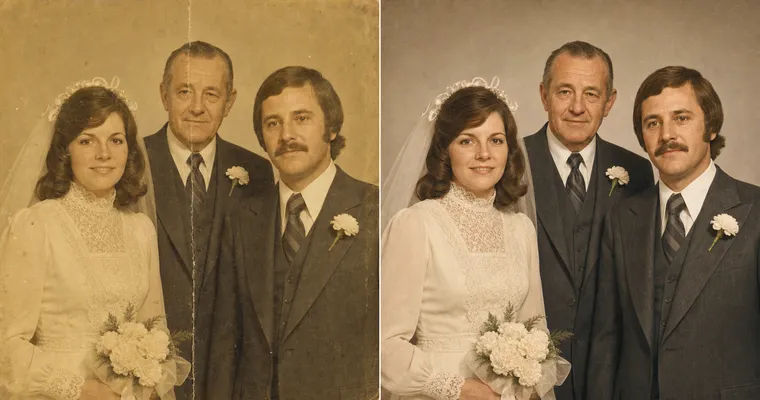
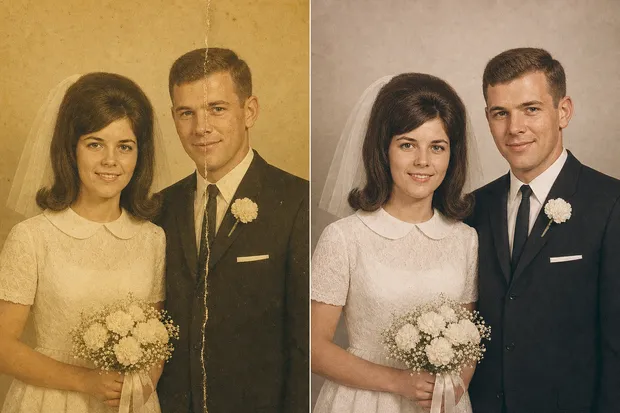
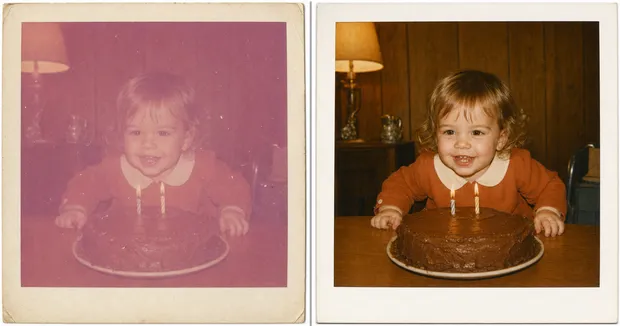
A creased, yellowed wedding photo, faces unchanged.
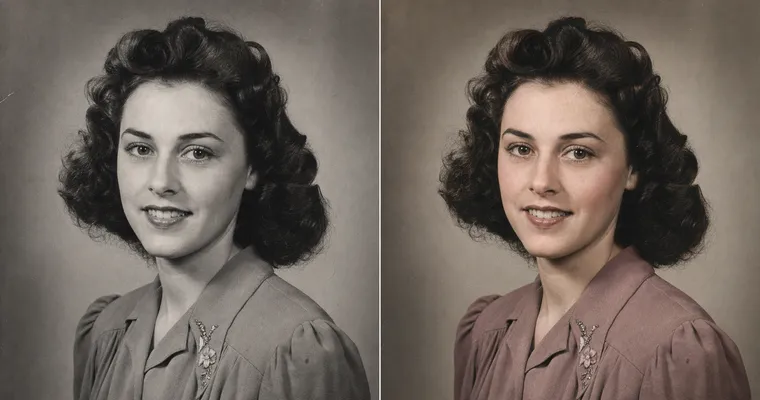
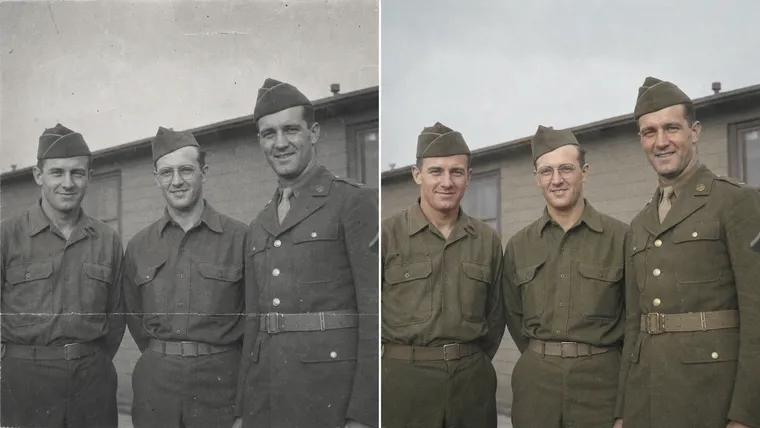
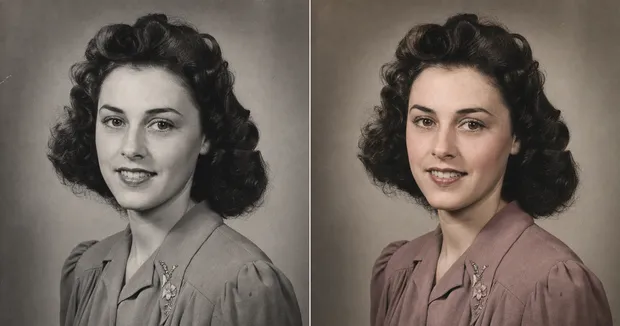
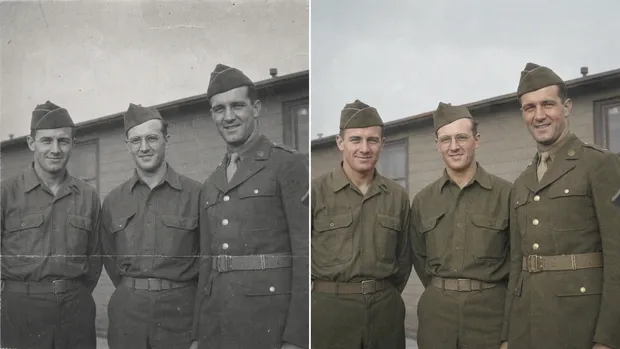
Black-and-white to period-correct color.
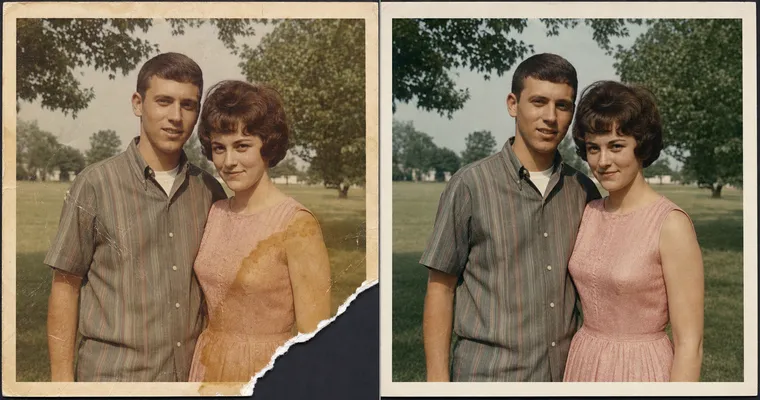
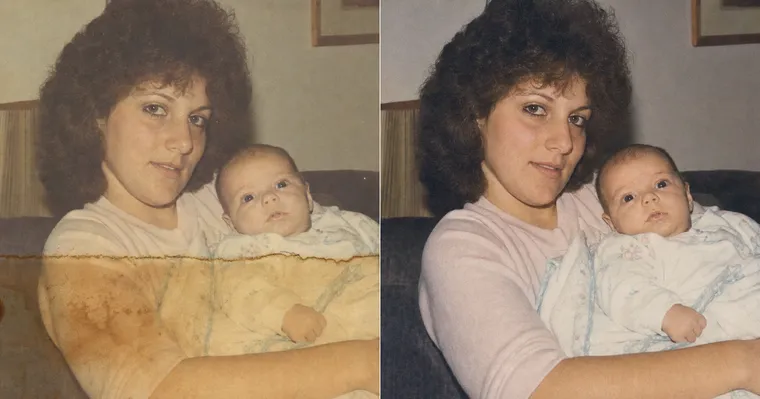
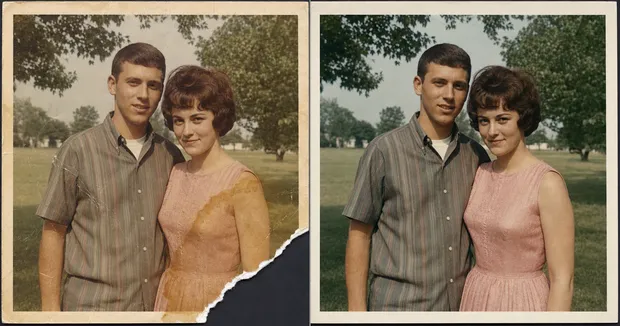
Torn and water-damaged, repaired without inventing a face.
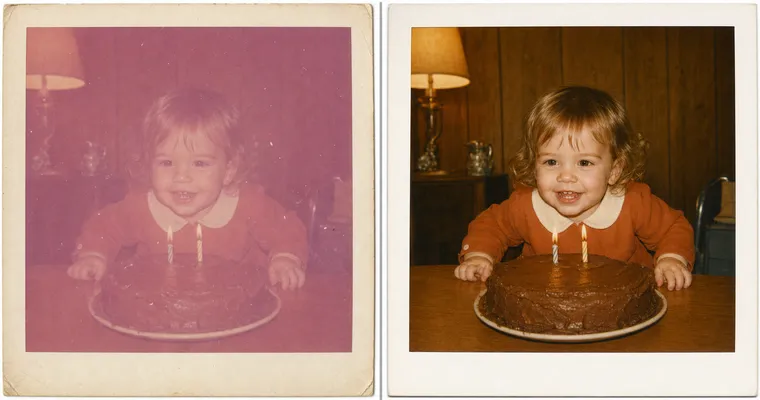
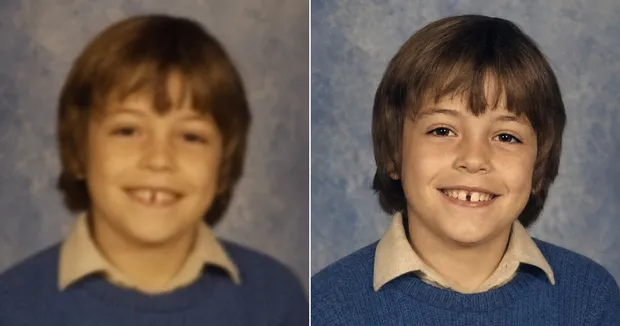
The AI repairs the damage and only the damage. The face on the right is the same person as the face on the left.
Launching Soon
Restore your photo inside the Studio.
One-click restoration is almost ready. Join the waitlist and we'll email you the moment it opens.
Be first in line when AI Photo Restoration opens. No spam, just the launch.
How it works
One snapshot. Three steps.
You can restore an old photo with AI in 2026 without changing the face: take one clear phone snapshot of the print, pick the job (restore, colorize, sharpen, or repair), and the tool fixes only the damage while your relatives' faces stay exactly as they were. No scanner, no Photoshop, and no subscription.
1
Snap the print. One straight-on phone photo in good even light. No scanner needed.
2
Pick the job and describe the damage. Restore, colorize, sharpen, or repair, plus the era and what's wrong.
3
Keep the original face. The face stays locked while everything broken gets fixed.
What it fixes
Four jobs, one identity-lock rule.
Restore a faded or creased photo
Upload one clear phone snapshot of the old print first.
A single photoreal restored version of the uploaded old photograph, returned in the same aspect ratio and composition as the original. Identity preservation is the highest-priority constraint: match every person's bone structure, eyes, nose, lips, proportions, hairline, and skin tone exactly; do not invent features, do not modernize anyone, do not change ages. Fix the damage typical of an aged print (yellowing, fading, color shift, dust, soft creases) and rebuild clean color and tonal range so it looks the way it did the day it was taken. Keep the era period-correct (same hairstyles, clothing, furniture). Preserve real film grain and paper micro-texture; no AI-plastic smoothing. Single restored image only, no before/after split.
Swap this line for your photo: the print is {ERA_HINT, e.g. "a 1972 Polaroid"} and the damage is {DAMAGE_NOTES, e.g. "heavy magenta fade, dust spots, soft crease"}.
Colorize a black-and-white photo
Upload the black-and-white photo first.
A single photoreal colorized version of the uploaded black-and-white photograph, same aspect ratio and composition. Identity preservation is the highest-priority constraint: keep every face exactly the same person; do not reshape features or modernize anyone. Apply believable, period-correct color for {ERA_HINT, e.g. "a 1944 group portrait"}: natural skin tones, era-accurate clothing dyes, muted not cartoon saturation. Keep real film grain and paper texture; no plastic smoothing. Do not add objects or people that were not in the original. Single colorized image only, no side-by-side.
Sharpen a blurry photo
Upload the blurry photo first.
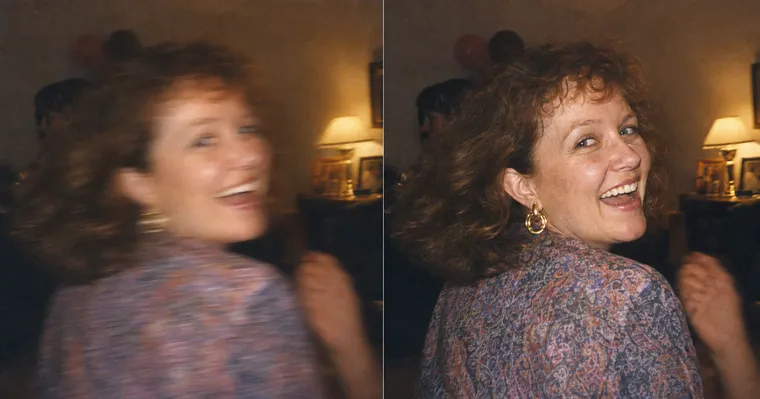
A single photoreal sharpened version of the uploaded blurry or low-resolution photograph, same aspect ratio and composition. Identity preservation is the highest-priority constraint: bring up clarity on the existing face only; do NOT invent new facial detail, do not change the bone structure, eyes, nose, or expression. Recover natural, believable detail and contrast as if the photo had simply been in focus, not over-sharpened and not airbrushed. Preserve real grain and skin micro-texture. Reconstruct only what was clearly there; do not hallucinate features in heavily blurred regions. Single image only.
Repair a torn or water-damaged photo
Upload the damaged photo first.
A single photoreal repaired version of the uploaded damaged photograph, same aspect ratio and composition. Identity preservation is the highest-priority constraint: every face stays exactly the same person. Repair the physical damage ({DAMAGE_NOTES, e.g. "torn lower-left corner, amber water stain across the background, scratch through the chest"}) by reconstructing only what was clearly there originally. Do NOT invent content for large missing regions, do not add new people, objects, or background, and do not invent a face for a region that is fully torn away. Preserve real film and paper texture; no plastic smoothing. Single repaired image only.
Until the one-click Studio opens, you can copy any prompt above and paste it into ChatGPT, Gemini, or your AI image tool with a snapshot of your print.
The look book
Real restorations. Faces left alone.
Why this, not a restoration shop
$0 or $19. Not $200.
A tenth of the shop's quote. A local restoration shop quotes $50 to $300 a photo, mid-band around $200. The normal cases run for $0 in a tool you already have, or $19 for the full pack.
The face is the one thing it won't change. Identity preservation is the highest-priority rule, so the AI repairs the damage and leaves the person alone. No prettifying, no modernizing, no stranger from the right decade.
Honest about its limits. A whole face torn off, severe mold or fire damage, museum-grade work on an irreplaceable original: send those to a hand retoucher. The tool does the everyday damage, not the impossible cases.
FAQ
AI photo restoration, answered.
Can AI restore old photos without changing the face?
Yes, but only if the prompt makes identity preservation the highest-priority rule. Default AI restorers "improve" a face, which means smoothing skin, modernizing the haircut, and averaging toward a generic attractive face. That is identity drift, and it is why most restorers come back with a stranger. The fix locks bone structure, eye shape, nose, lips, hairline, and skin tone to your uploaded photo, so the AI repairs the damage and leaves the person alone.
Do I need a scanner, or is a phone photo enough?
A phone photo is enough. Lay the print on a flat surface in good even light, take a straight-on snapshot, and upload that. No scanner, no app, no Photoshop. The only thing to avoid is glare on the print and a steep angle, both of which are obvious when you preview the snapshot before uploading.
Can AI colorize a black-and-white photo accurately?
Yes, with a period hint. Tell the tool the era ("a 1944 group portrait", "a 1920s sepia studio photo") so the color stays believable instead of cartoonish: natural skin tones and era-accurate clothing dyes, muted rather than over-saturated. The face stays exactly the same person; only the color is added.
Can AI fix a blurry or low-resolution old photo?
It can recover natural, believable detail as if the photo had been in focus, but it cannot invent a face that was never captured. The honest line is: sharpen what is there, do not hallucinate what is not. For mild blur and soft focus the result is excellent. For a face that is almost entirely smeared, no tool can truthfully rebuild it, and you should not trust one that claims to.
What does it cost to restore an old photo with AI?
You can start for free. Copy any of the prompts on this page into ChatGPT, Gemini, or your AI image tool with a snapshot of your print. A local restoration shop quotes roughly $50 to $300 per photo (mid-band around $200); the prompt does the normal cases for $0, or $19 for the full pack. The one-click Studio is on the way, with no subscription required to try it.
When should I use a human retoucher instead?
When a whole face has been physically torn off, when the damage is severe layered mold or fire damage, or when you need museum-grade work on an irreplaceable original. The prompt explicitly refuses to invent a face for a fully missing region, because the alternative is a stranger. Those cases are exactly what the $200 to $300 hand-retoucher quote is for. Run the normal cases yourself; send the impossible ones out.